
A guide to renewing your season ticket online
Step 1
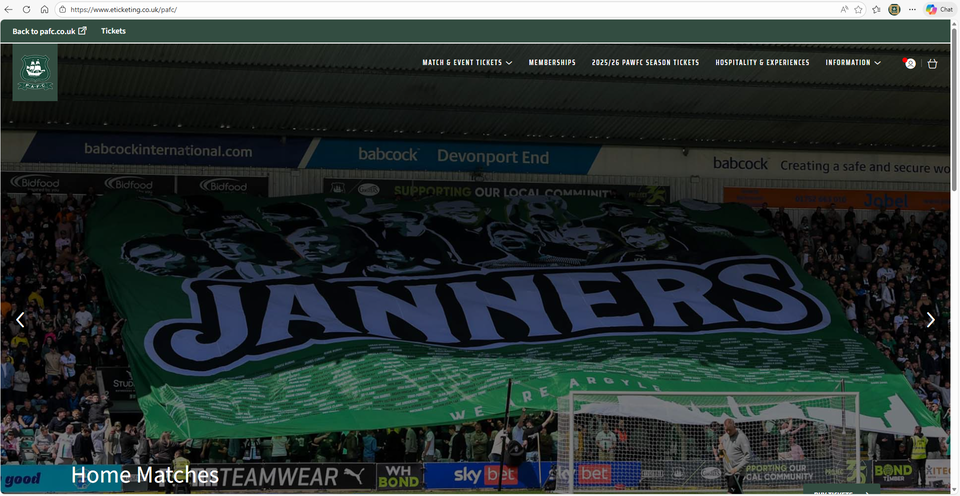
Go to argyletickets.com and log in to your ticketing account. From here, in the top right hand corner you will see the white profile (head and shoulders icon) with a red dot on, click this.
Step 2
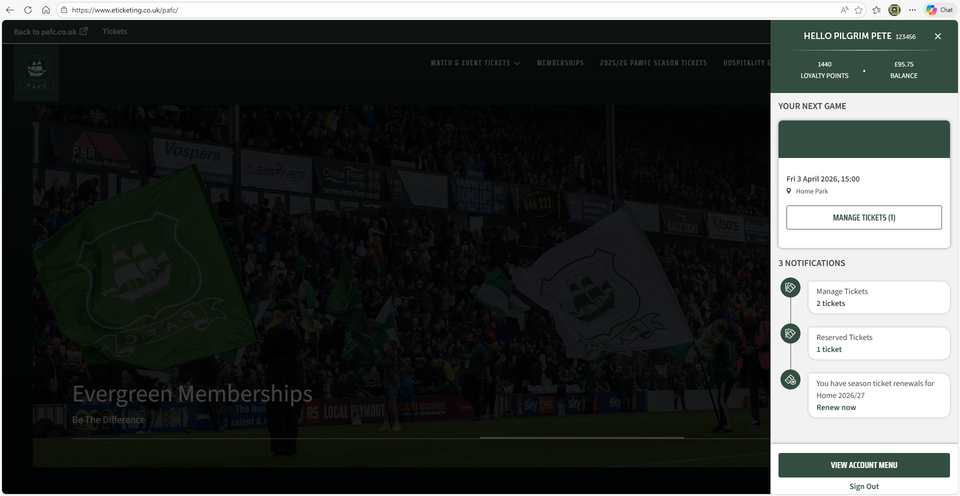
On this page you will see the button which advises that you have season tickets for renewal. Click on 'Renew now'.
Step 3
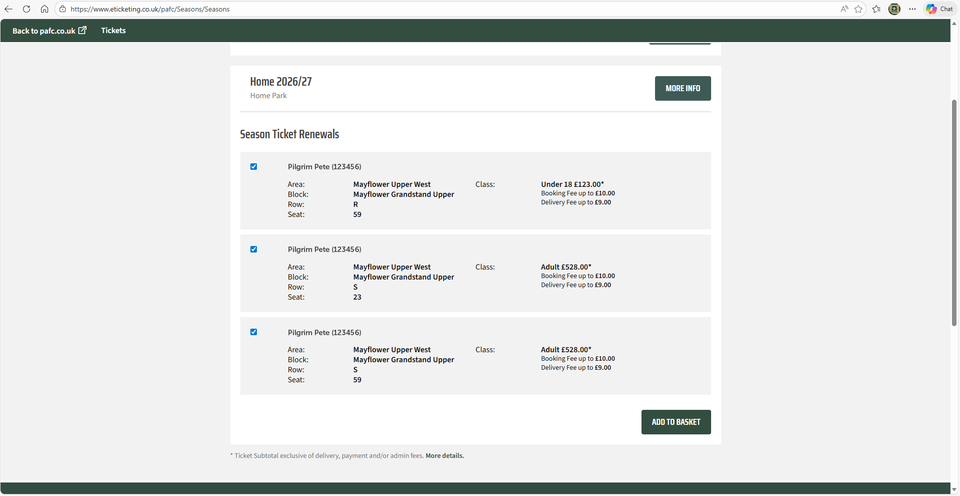
Select the Season Ticket(s) that you wish to renew by selecting the tick box on the left of each ticket and click 'Add to Basket'
Step 4
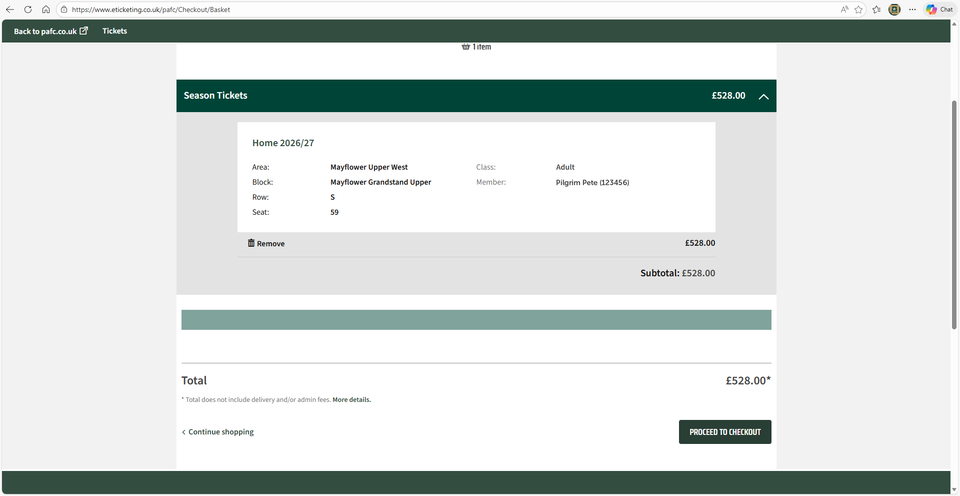
This page will show you your selected Season Tickets with the total cost.
Once happy, click 'Proceed to Checkout'.
Step 5
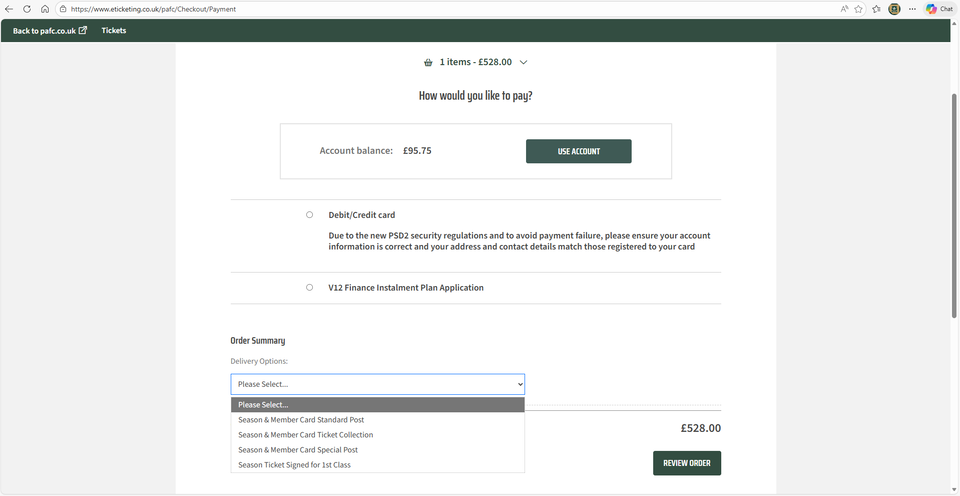
At checkout you can select your method of payment and your delivery method.
If you wish to use your account balance, please click 'Use Account' to adjust the remainder of your payment, and then click 'Apply Account'.
Step 6
This will then give you any outstanding amounts to pay.
Please select your postage option and select your method of payment.
If you are paying via the V12 Finance, then you will be redirected to their site to complete the forms for approval.
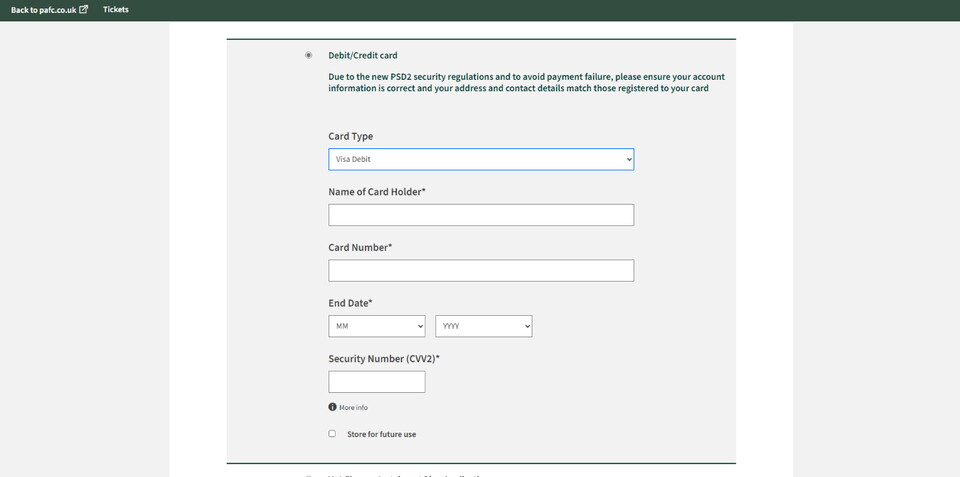
If paying by card, you will be able to add your card details and complete payment.
Step 7
If paying by card you will have the option to select the card type, add your details and confirm your purchase.
Step 8
If you wish to continue with the V12 Finance option, please follow the prompts on each page.